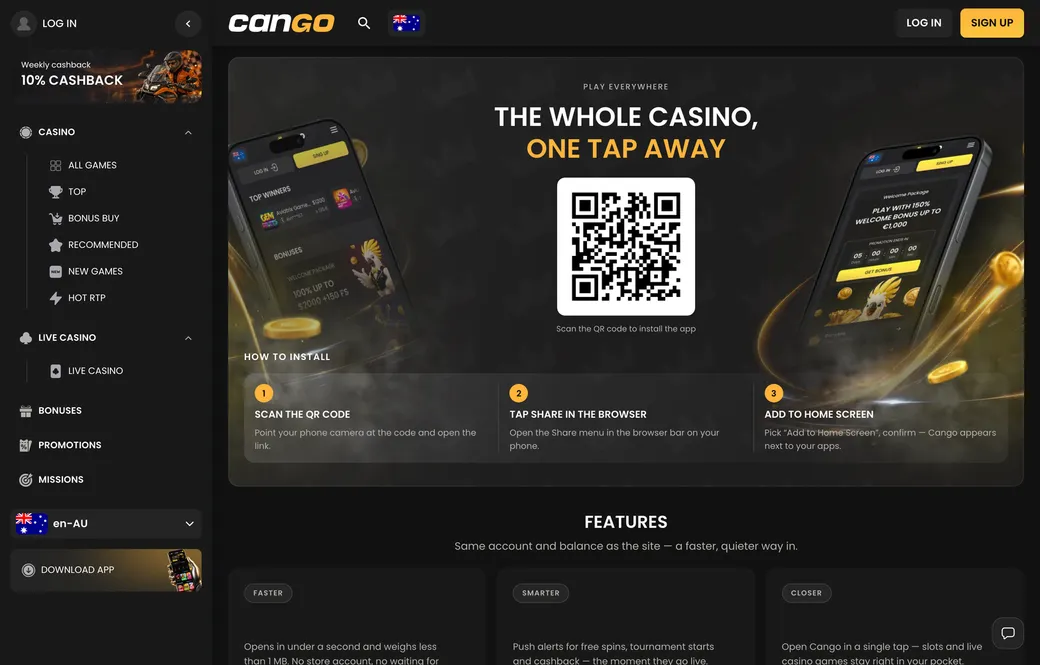

Players in Australia who open the cango app on their phones are using a Progressive Web App (PWA), not a native file from the Apple App Store or Google Play. The mobile interface connects to the full cashier, where deposits start at A$15 for standard play and A$45 for the welcome bonus with promo code WP1. PayID is not in the cashier list, so mobile top-ups run through Visa, Mastercard, alternative cashier methods or crypto wallets. Cashouts need at least A$30 and go only to payment methods in your own name.
Cango casino app: install in one table
Setting up the cango casino app takes less than a minute because there is no installation package to download or update by hand. The Download iOS and Download Android buttons in the website menu do not lead to an app store. They show browser instructions or a QR code that places a web shortcut on your screen. From the home screen, the icon opens in full-screen mode without the browser address bar, with direct access to your AUD balance, the pokies catalogue and the 24/7 live chat.
| Device | Steps | What you need |
|---|---|---|
| iPhone / iPad | Open the site in Safari, tap Share, select Add to Home Screen, tap Add | iOS device, Safari, internet connection |
| Android phone / tablet | Open the site in Chrome, tap the three-dot menu, select Install app or Add to Home screen | Android device, Chrome, internet connection |
| Desktop / laptop | Scan the on-screen QR code with your phone camera to open the mobile site | Phone camera, mobile browser, login details |
Because the app runs in the browser, it takes up almost no storage and updates automatically whenever you open it. The cashier rules in the mobile view are identical to the desktop version. Your account currency is chosen once at sign-up (AUD for most Australian players, alongside EUR and CAD) and cannot be changed later. Before you can request a payout from your phone, your deposits must be played through x1 on pokies and your identity verified through Sumsub.
Cango app: troubleshooting
When the cango app misbehaves on a phone, the cause is almost always browser permissions, cached data or connection rules rather than a broken install. Because the casino runs as a PWA, it relies on your mobile browser to render the cashier, load pokies from studios like BGaming and Thunderspin and keep your session secure. Below are fixes for the most common phone issues.
- The home screen icon did not appear. On iPhone this happens when you try to add the shortcut from Chrome or Firefox instead of Safari. On Android, check whether your home screen layout is locked in the phone settings.
- You get logged out every time you switch apps. Phones close background tabs to save battery, and private browsing deletes session cookies when you minimise the window. Install and open the PWA from a standard browser window with cookies enabled.
- The cashier or a pokie freezes on a blank white page. A corrupted cache can stop the payment page or a 3-D Secure bank prompt from loading. Clear the browser cache and site data for the casino, close the app fully and reopen it on a stable Wi-Fi or 4G/5G connection.
- The login form rejects your connection. Never run a VPN on your phone with this account, because VPN use is banned and triggers security blocks at sign-in or at withdrawal.
If clearing the cache and checking browser settings does not fix a stuck transaction or a frozen screen, open the 24/7 live chat in the mobile menu. Agents typically reply within about 2 minutes. Have your account email and the time and A$ amount of the transaction ready so they can check the cashier logs.
Cango mobile: adding it on iPhone
Cango mobile on an iPhone or iPad needs Safari, as Apple routes home screen web apps through its own browser. If you are looking at the casino on a laptop first, point your iPhone camera at the QR code on the app page to open the mobile address straight away. Once the page loads in Safari, tap the Share button at the bottom of the screen (the square with an upward arrow), scroll down and tap Add to Home Screen. Keep the default name and tap Add in the top right corner to place the icon next to your other apps.
For a broader look at how the casino scores on payouts, support and games, our editorial Cango review covers the whole site. Inside the iPhone web app, the cashier is the tool most Australian players check first. You will not find PayID in the deposit menu, and there is no bonus for installing the shortcut. You can fund your AUD balance instantly by Visa or Mastercard (up to A$5,000 per transaction), alternative cashier methods, or crypto such as BTC, ETH, USDT and LTC, which typically lands in 10 to 30 minutes from around A$20.
Illustration in A$: you open the cashier on your iPhone, enter WP1 and deposit the minimum qualifying A$45 by Visa. The 150% match adds A$67.50 in bonus money, a starting balance of A$112.50 (A$45 cash + A$67.50 bonus). With x30 on the bonus, you need A$2,025 in qualifying bets (A$67.50 x 30), usually within 7 days and at no more than around A$7.50 a spin. The 300 free spins arrive in three daily batches of 100: day 1 on Bonanza Billion, day 2 on Thunder Coins XXL and day 3 on 3 Super Hot Chillies.
Cango download: Chrome install steps
A cango download on an Android phone or tablet goes through Google Chrome, with no APK file and no changes to your security settings. When you tap the Download Android button on the site, or the three vertical dots in the top right corner of Chrome, you will see Install app or Add to Home screen. Install app makes Chrome create the PWA and place the icon in your app drawer and on the home screen.
- Open Google Chrome on your Android device and load the casino home page.
- Tap the three-dot menu in the upper right corner, or the Download Android prompt in the side menu.
- Select Install app (on newer Android versions) or Add to Home screen and confirm.
- Return to the home screen, tap the new icon and sign in with your email and 8+ character password or via Google sign-in.
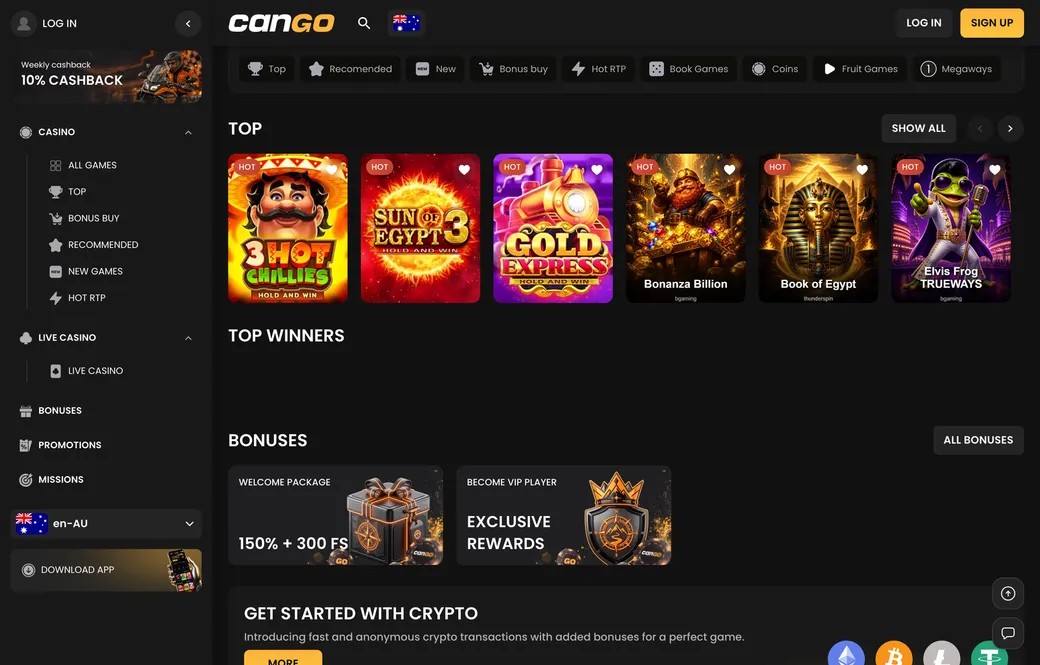
Once signed in on Android, you get the full lobby, which counts 3,000+ games according to the casino, with titles like Sun of Egypt 3, Gold Express and Elvis Frog TRUEWAYS and a Live Casino switch with tables from A$1 to A$5,000. Sumsub verification is easiest on a phone, since the camera handles the ID photo, the proof of address and the selfie in one go; it typically takes 24 to 48 hours. Withdrawals from the app start at A$30 and follow the same route as on desktop: up to 24 hours pending, up to 24 hours processing, then up to 1 hour for crypto or 1 to 3 business days for cards.